Design custom bookshelves with AI
Describe your ideal bookshelf — dimensions, shelf count, style — and get a parametric 3D model in seconds. Adjust everything with sliders, then export to STEP, DXF, or STL.
Free trial credits included · No credit card required
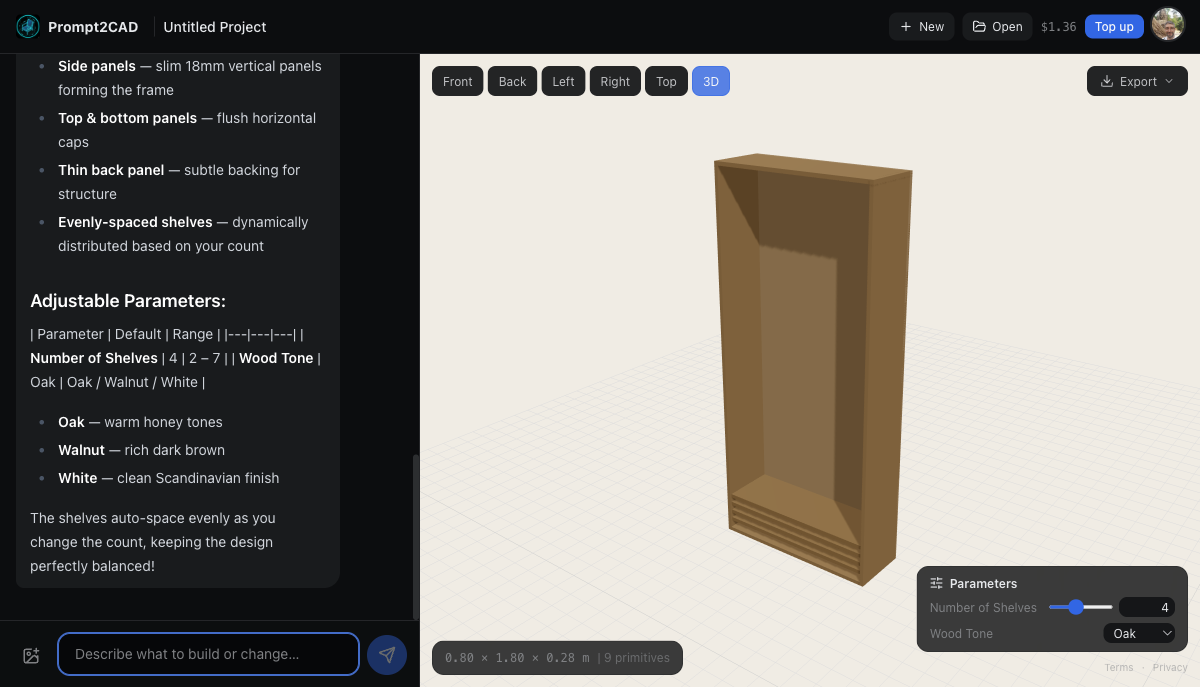
Generated with Prompt2CAD — describe it, design it, export it.
Whether you need a floor-to-ceiling library wall, a compact floating shelf unit, or an asymmetric modern bookcase, Prompt2CAD generates accurate 3D bookshelf models from a simple text description. The AI understands shelf spacing, material thickness, structural support, and standard furniture dimensions. Every model is parametric — change the width, height, number of shelves, or shelf depth with a slider and the entire design updates instantly. Export to STEP for your CAD workflow, DXF for AutoCAD, STL for 3D printing, or OBJ/GLB for visualization.
How Prompt2CAD helps
Any bookshelf style
Open shelves, closed cabinets, ladder shelves, cube storage, asymmetric designs, built-in bookcases — describe the style and the AI builds it.
Parametric dimensions
Adjust width, height, depth, shelf count, and shelf thickness with sliders. See the bookshelf update in real time as you explore variations.
Realistic proportions
The AI knows standard bookshelf dimensions, material thicknesses, and structural requirements. Models come with accurate proportions from the start.
CAD-compatible exports
Export to STEP or DXF with millimeter-accurate dimensions. Import into Fusion 360, FreeCAD, or AutoCAD for further refinement or share with your cabinet maker.
Try these prompts
Just type any of these into the chat to get started.
Export to your workflow
Download in the format you need — from CAD software to 3D printing.